Copy from https://tecnoesis.wordpress.com/2009/08/20/disable-editplus-backup-bak-files/
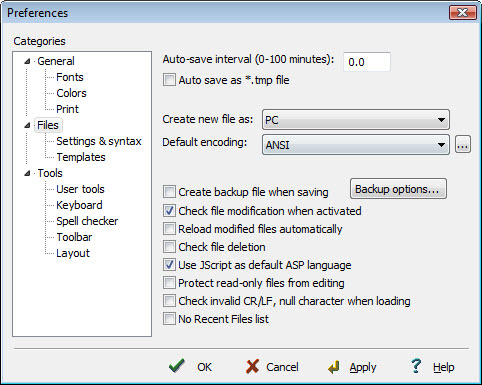
o disable creation of the backup files (*.bak) while editing in EditPlus, follow this step:
- Go to Tools -> Preferences -> ‘Files’ category and turn off ‘Create backup file when saving’ option. You can also opt to save all the back up files in a chosen destination if you wish to, by clicking on ‘backup options’.

No comments:
Post a Comment